
Choose a Plan
Compare the monthly and annual plans, add workspaces if you need them, and check your AI credits.
Open Billing. Select your profile picture in the top right corner, then choose Billing. Settings opens on the Billing tab, next to Account and Notifications.
Check your AI credits. The AI credits card shows your credits remaining, your monthly allowance, credits purchased, and credits spent in the last 30 days.
Compare the plans. The OEM/Supplier Plan comes in two options, billed monthly or billed annually. The annual plan saves 10 percent.
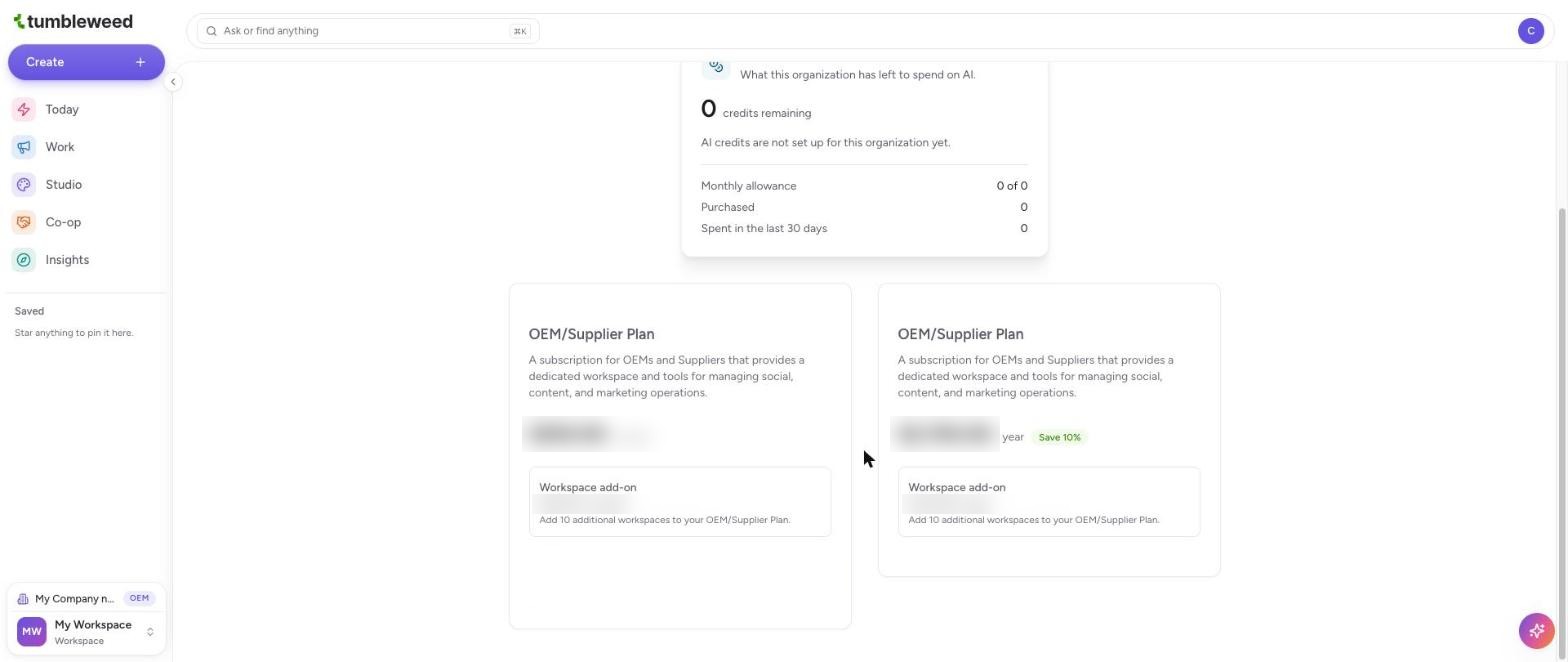
Add workspaces (optional). Each plan card includes a Workspace add-on, which adds 10 more workspaces to your plan.
Choose your plan. Select the button on the plan card you want and follow the prompts to enter your billing details.
Need another workspace? If Create Workspace is greyed out, you have reached your plan's limit. The Workspace add-on raises it.