
Manage Your Notifications
Choose which emails Tumbleweed sends you from the Notifications tab in Settings.
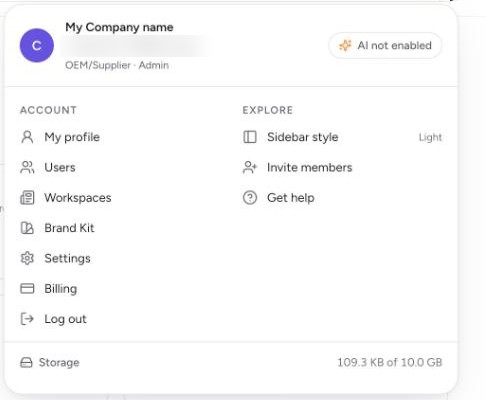
Open the profile menu. Select your profile picture at the top right.
Select Settings. You can find it under Account. Settings opens with three tabs: Account, Billing, and Notifications.
Open the Notifications tab. The page is called Email notifications. It controls email only. In-app updates on Today are not affected.
Read your options. Weekly activity summary is a weekly email with your posts, top posts, and goal progress. Channel connected is sent when a social channel is connected to a workspace you administer. Channel disconnected is marked Always on, so posts are not silently missed.
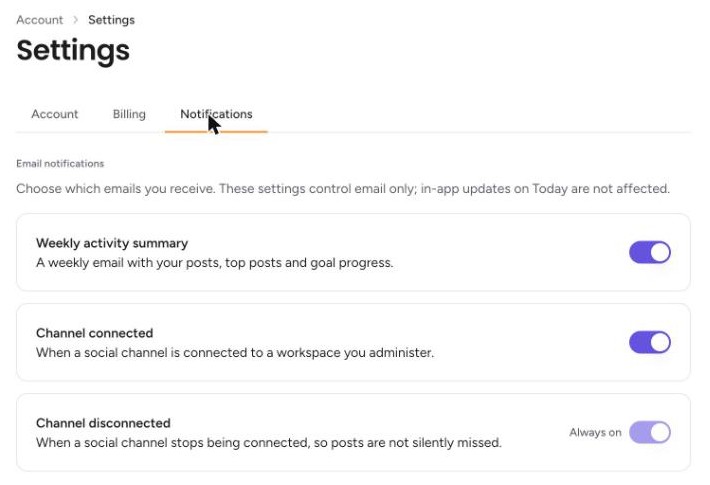
Turn an email on or off. Use the switch at the right of Weekly activity summary or Channel connected.